
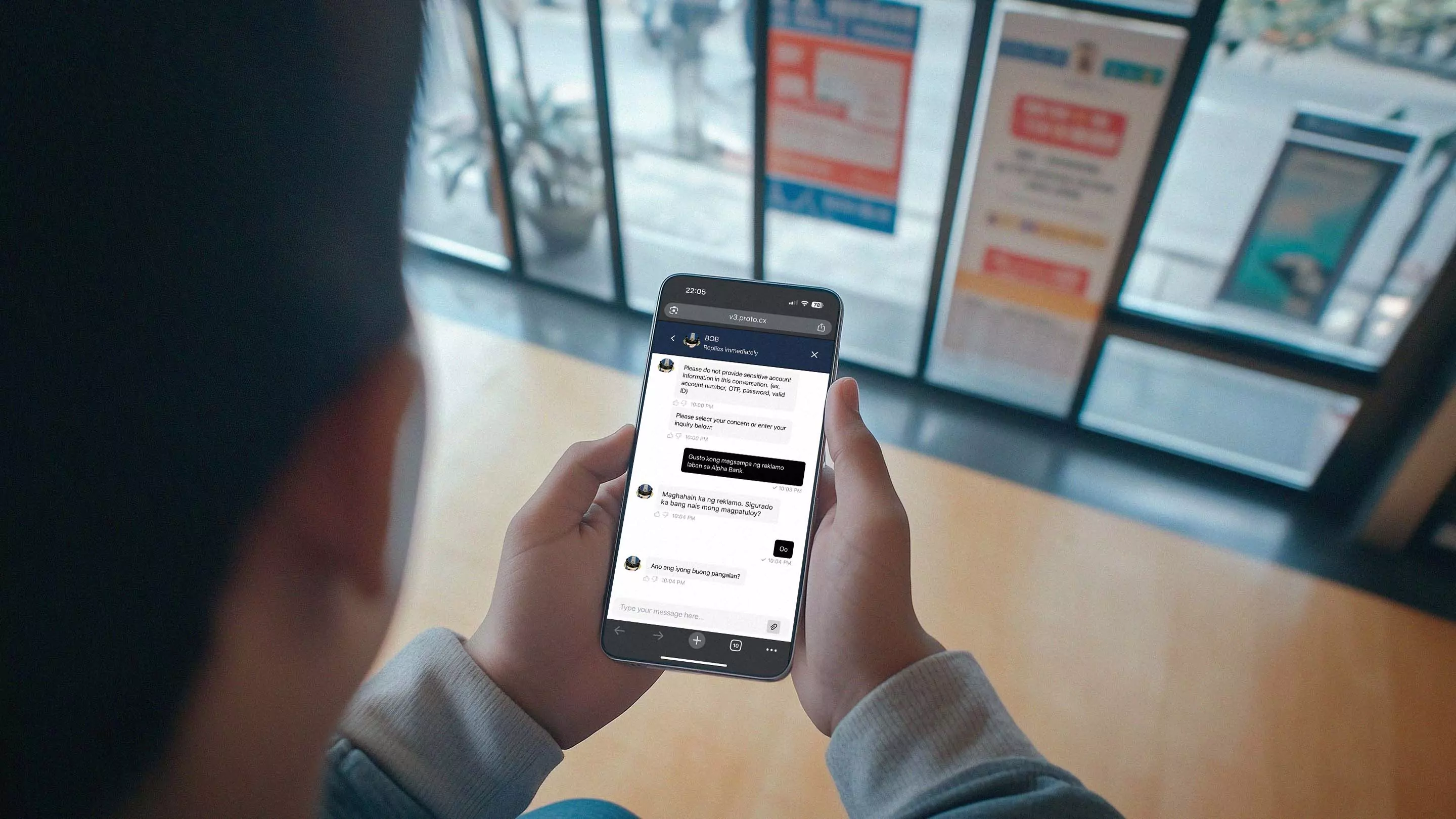


“The multilingual Proto AI agent empowers consumers by providing an accessible channel for complaints, supporting the central bank’s commitment to financial service innovation.”

Proto automates inclusive workflows with local languages and sovereign hosting.
Automate training from websites and documents, keeping AI responses up-to-date and relevant.
Combine ruled-based and generative AI to deploy controlled and secure agents.
Enable seamless handover between AI agents to ensure context-aware support with no wrong door.
Select your preferred large language model to power conversations.
Deploy a customised large language model on your infrastructure.
Deploy your AI agents across WhatsApp, LINE, Messenger and more.
Serve customers across all common languages and extend reach into low-resource languages.
Engage website visitors with a proactive messages triggered by custom rules or API.
Receive and generate voice messages for wider customer access and inclusion.
Automatically transcribe voice messages to help live agents respond quickly from the Inbox.
Convert AI replies into voice messages and include transcripts for clarity and accessibility.


“The multilingual Proto AI agent empowers consumers by providing an accessible channel for complaints, supporting the central bank’s commitment to financial service innovation.”

Create scripted chat flows by designing custom triggers and actions, including branch logic.
Use variables to save important informration discovered across livechats and tickets.
Create tickets from AI and live agent conversations with auto-populated data.
Send and receive data with external connections to your AI agent.
Allow you live agents and admins to monitor and intervene in AI agent conversations.
Get unlimited support from an embedded CX engineer to map your workflows and ensure performance.
Yes – you can sync AI agents with URLs and upload documents (PDFs, tables, JSON, and transcripts). Training sources can be added, edited, or removed at any time.
Yes – you can customise instructions for your LLM–powered AI agent, and use intents, triggers, and structured flows for specific journeys (e.g., refunds, complaint intake, bookings). AI agents can also call APIs using your authentication rules.
Yes – AI agents can use your knowledge base (with LLM enabled) to answer complex questions, while escalating sensitive or unresolved cases to live agents. You can also build manual workflows for structured customer journeys (e.g., for refunds, complaint intake, bookings). Workflows provide full control over building a complex agentic functionality.
Yes – monitor conversations in the Inbox, test the AI agent before deployment, add or refine training sources, and adjust prompts or workflows to improve how the AI agent responds over time.
Every message goes through one of the configured workflows. LLM-generated response can be triggered by a custom LLM action in any of your workflows or when fallback is triggered.
For response generation, you have to enable third–party LLMs (available on any plan), use a dedicated LLM (Embed), or self–host your own model (available for Enterprise on–premise deployments).
Proto’s AI agents can function with or without enabled third-party LLMs.
Without enabled LLM, functionality will be limited to workflows (knowledge base will not be available). This setup provides extended data control, as data isn’t shared with external providers. AI agent will function using Proto’s own AI engine.
For response generation, you have to enable third–party LLMs (available on any plan), use a dedicated LLM (Embed), or self–host your own model (available for Enterprise on–premise deployments). Our Enterprise solution provides the most extended data control options.
Proto AI agents can be configured to use third–party LLMs, a dedicated LLM, or a self–hosted model (including on–premise). In parallel, Proto provides localisation for underserved and mixed languages, plus controls for what data is shared with external providers.
Learn more: AI Agents, Data privacy, and Local languages.
A workflow is a set of actions an AI agent executes when a specific user intent or event is detected.
Workflows can be triggered by events such as:
Every AI agent also includes a baseline set of default workflows to handle key lifecycle events, such as Chat started, Chat closed, Chat timeout, AI timeout, and Fallback.